
Picking a usb device server or a usb hub is vital. Beginners often confuse these two tools. Yet, they do completely different jobs. Thus, this simple guide explains the facts clearly. Ultimately, we will help your business choose wisely.
What Are They and What Do They Solve?
First, a standard usb hub expands local ports. You plug it into your computer directly. Then, you connect a mouse or keyboard. However, these tools must stay near that PC. Hence, short cables limit your distance completely.
In contrast, a usb server works differently. This network bridge never connects to a PC. Instead, it plugs directly into your router. Next, it turns USB signals into network data. Thus, anyone can access these tools remotely. Consequently, it breaks the distance limit completely.
Mistakes Buyers Make
New buyers often make costly network errors. For example, some buy an ethernet hub blindly. They think it shares USB tools over networks. Actually, it just gives laptops wired internet access. Plus, it cannot broadcast USB data at all.
Also, people try using hubs for long distances. Signal drops happen when cables exceed a few meters. Conversely, device servers use reliable network cables. Therefore, they keep data stable hundreds of meters away.
Business Use Cases, Not Just Specs
Looking at tech specs is never enough. You must check real business workflows. For instance, a basic hub fits a personal desk perfectly. You can connect a simple flash drive quickly. In short, it works for one person alone.
Conversely, a usb device server drives team success. Specifically, ten remote workers can share one expensive dongle. The hardware handles the user queue automatically. Furthermore, IT teams connect tools to virtual machines easily. Thus, dedicated network boxes provide native VMware support.
Pros and Cons for Enterprise IT
You must weigh the tradeoffs carefully.
Standard USB Hub
- Pros: Generally, the price is very low. Also, setup requires zero network knowledge.
- Cons: Sadly, it lacks any security rules. Plus, distance limits stop remote sharing completely.
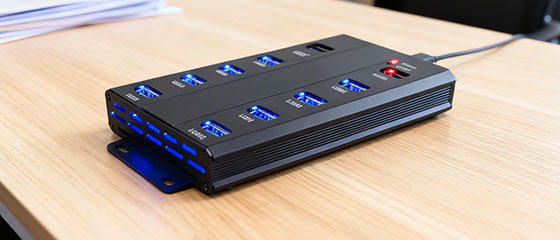
USB Device Server
- Pros: First, it breaks distance limits for remote access. Additionally, it gives enterprise-grade security control.
- Cons: Clearly, the upfront hardware cost is higher. Besides that, you need a basic local network.

Why Choose USB Manager?
Setting up complex network gear causes headaches. Instead, USB Manager offers a super beginner-friendly experience.
Initially, deployment takes almost no IT skills. You simply plug in power and a network cable. Next, it provides an easy central dashboard. Admins assign port rules with a few clicks.
More importantly, it provides a complete hardware package. The physical box ensures 24/7 network stability. Thus, you avoid needing a constantly running local PC. Ultimately, it delivers pro enterprise control through simple steps.
Final Recommendation
Picking the right tool protects your team. Do not use cheap personal hubs for big team tasks. If you just need a mouse port, buy a hub. Yet, if you need remote sharing, buy a real server. Hence, upgrade your team with smart hardware today.
Frequently Asked Questions (FAQ)
For printers? Home printers work fine with basic hubs. However, shared office printers need a real server. Thus, everyone prints quickly over the network.
For dongles? Hardware device servers protect dongles best. Specifically, you lock the expensive key in a safe room. Then, remote developers share it safely over networks.
For labs? Labs need extreme stability and data safety. Therefore, they must use dedicated servers for testing tools. This ensures data travels safely across the network.
