
USB Server Products – 4, 24, 36 & 48 Ports
USB Manager offers hardware-based USB Servers for secure remote USB access, USB over IP, USB over Ethernet and centralized USB device management.
Choose from compact 4-port models to high-density 24-port and 48-port enterprise USB Servers, as well as a dedicated 36-port Banking USB Token Server with remote button control.
Our USB Device Servers help businesses connect, share and manage USB devices across LAN, VPN, virtual machines, cloud servers and remote locations.
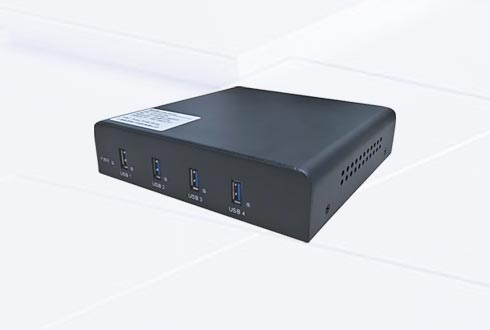
4-Port USB Server
Compact USB Device Server for Remote USB Access
Designed for small-scale USB over network deployments, remote offices and applications requiring secure access to a few USB devices.
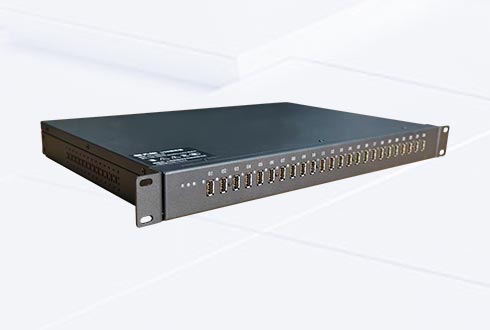
24-Port USB Server
Enterprise USB Server for Centralized Device Management
Centralize multiple USB license dongles, security keys, banking tokens and other USB devices with remote access and permission management.
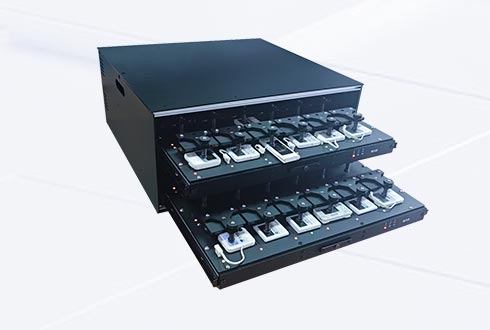
36-Port Banking USB Token Server
Dedicated USB Server with Remote Button Control
Centralize banking USB tokens and remotely access compatible tokens with OK/Confirm button control, ideal for corporate banking and finance teams.
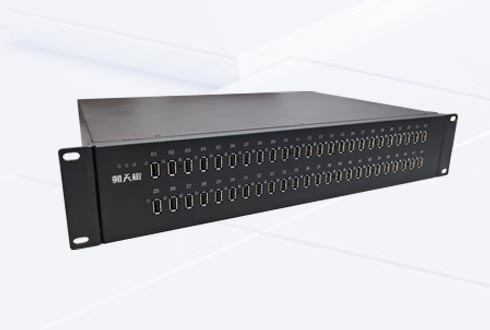
48-Port USB Server
High-Capacity USB Device Server for Enterprise Deployment
Designed for large-scale USB device sharing, centralized USB management and 24/7 enterprise operation.
Integrated Hardware & Software USB Over IP Solution
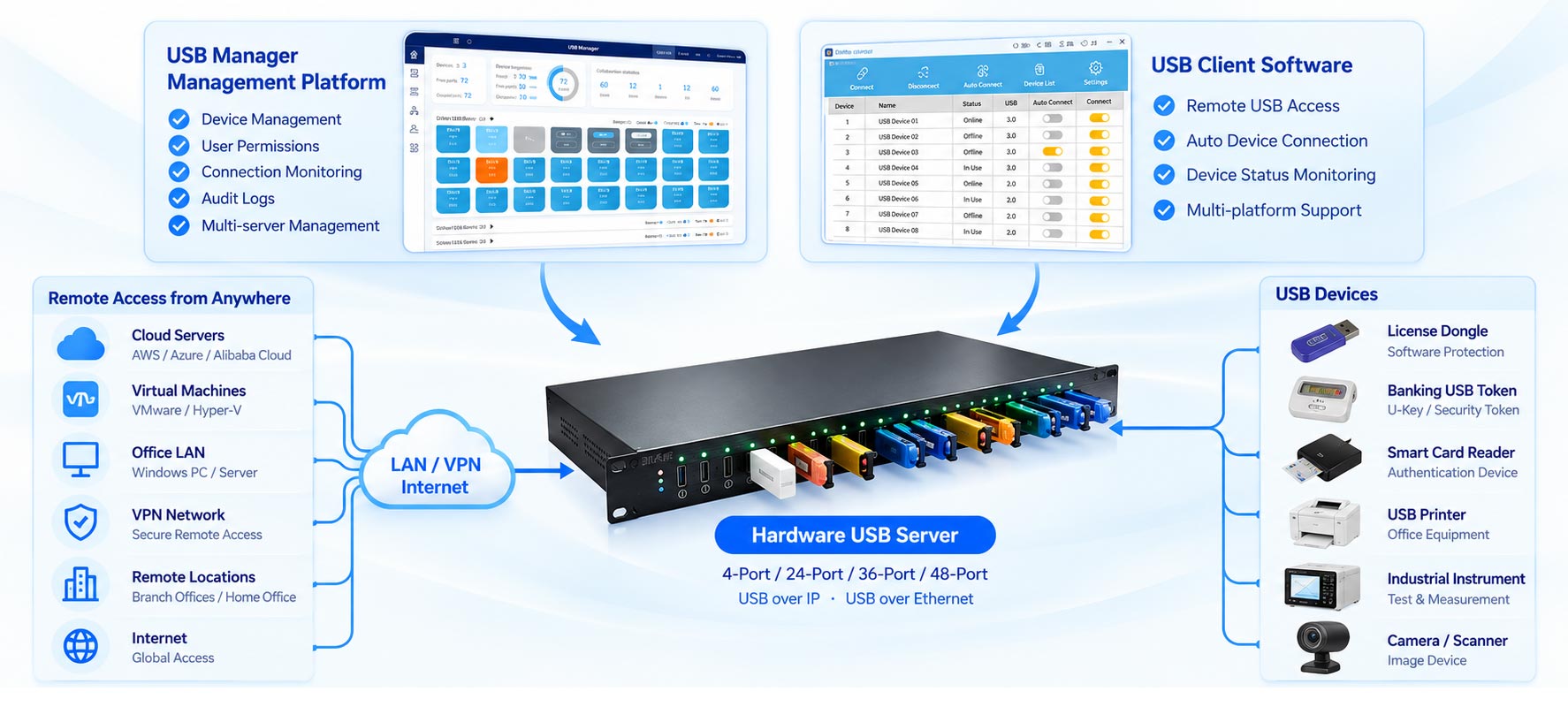
USB Manager combines dedicated USB Server hardware, centralized management software and remote USB client software into one integrated USB over IP platform.
USB devices connect directly to the hardware USB Server, which makes them accessible over LAN, VPN and IP networks without relying on a dedicated host PC.
Administrators can manage USB devices, users, access permissions and connection status through a centralized management platform. Authorized users can connect to compatible remote USB devices from Windows computers, virtual machines and cloud environments using the USB client software.
The integrated architecture supports USB device sharing, centralized administration, multi-server management and secure remote USB connectivity for enterprise deployments.
Enterprise USB Server Management Features
USB Manager provides centralized management, secure access control and remote USB connectivity for enterprise environments. Manage multiple USB devices and hardware USB Servers from one platform while maintaining visibility and control over device usage.
Remote USB Access over Network
Access USB devices through USB over IP, USB over Ethernet and USB over Network across LAN, VPN and remote networks. Supports remote access from compatible Windows PCs, servers and virtual machines.
Centralized USB Device Management
Manage multiple USB devices and USB Servers from a centralized platform. Name devices, assign users, monitor connection status and quickly locate available USB resources.
Secure USB Access Control
Protect remote USB access with user authentication, device permissions, IP/MAC binding and multi-factor authentication. Only authorized users can view and connect to assigned USB devices.
Audit Logs & Device Monitoring
Track USB device connections, disconnections, user activity and device usage through detailed logs. Monitor device availability and connection status for daily IT operations.
USB Server Cluster Management
Centrally manage multiple hardware USB Servers and their connected USB devices. Expand remote USB device capacity and simplify administration across departments and locations.
Remote USB Port Power Control
Remotely control individual USB port power on supported USB Server models. Disconnect, power-cycle and reconnect USB devices without physically accessing the hardware.
Hardware USB Over IP vs. Software USB Sharing
USB devices can be shared over a network using either software-based USB sharing tools or dedicated hardware USB Servers.
Software USB sharing typically relies on a host computer to keep USB devices connected and available. A hardware USB over IP Server provides independent network connectivity and centralized device management without requiring a dedicated PC to remain running.
For businesses managing multiple USB devices, remote offices or critical applications, a dedicated hardware USB Server offers a practical and scalable deployment option.
| Comparison | Software USB Sharing | USB Manager Hardware USB Server |
|---|---|---|
| USB Device Connection USB | USB devices connect to a host PC. | USB devices connect directly to dedicated hardware. USB |
| Host PC Requirement | Requires a host PC to remain running. | Operates independently without a dedicated host PC. |
| Network Access | Network access depends on the host PC and sharing software. | Provides USB over IP and USB over Ethernet connectivity through dedicated hardware. |
| Device Management | Management capabilities vary by software. | Centralized device, user and permission management. |
| Security & Access Control | Depends on the software solution and configuration. | User authentication, device permissions, IP/MAC binding and audit logs. |
| Stability & Availability | Availability depends on the host PC and software service. | Dedicated hardware operates independently for continuous USB access. |
| Scalability | Expansion depends on host resources and software licensing. | Expand with multiple USB Servers and centralized management. |
| Typical Applications | Personal use, temporary access and small deployments. | Enterprise dongle management, virtualization and large-scale USB device access. |
A dedicated hardware USB Server is particularly suitable when USB devices need to remain available independently of user computers, or when multiple devices must be managed across different departments and locations.
USB Manager combines hardware USB over IP connectivity with centralized software management, providing a unified solution for enterprise remote USB access.
What USB Devices Can Connect to a USB Server?
USB Manager hardware USB Servers support remote access to a wide range of compatible USB devices over Ethernet, LAN, VPN and IP networks.
From software license dongles and banking security tokens to industrial instruments and USB peripherals, businesses can connect USB devices to a centralized USB Server and access them remotely without moving devices between computers.
Actual compatibility depends on the USB device, driver, operating system and application requirements.
USB License Dongles
Software Licensing & Protection
Banking USB Tokens
U-Key & Digital Certificates
USB Smart Card Readers
Authentication & Identity
USB Printers
Office & Label Printing
Industrial Instruments
Testing & Measurement
USB Scanners
Document & Barcode Scanning
USB Storage Devices
Flash Drives & External Storage
USB HID Devices
Keyboards & Mice
USB Audio Devices
Headsets & Microphones
USB Cameras
Webcams & Imaging Devices
USB Adapters
Serial, CAN & Other Interfaces
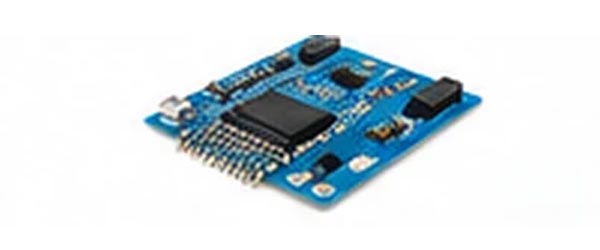
Embedded USB Devices
Industrial & Custom USB Modules
USB device compatibility may vary depending on device protocols, drivers, bandwidth requirements and operating systems. Some devices, particularly real-time audio/video equipment, high-bandwidth storage and specialized industrial hardware, may require additional testing.
For banking USB tokens that require physical button confirmation, please refer to our dedicated Banking USB Token Server and confirm supported token models before deployment.
Contact our technical team with your USB device model and application requirements for compatibility evaluation.
Hardware USB Over IP Server FAQ
Common questions when selecting a USB over Ethernet server for remote USB device access.
What is a hardware USB over IP server?
A hardware USB over IP server connects physical USB devices to an Ethernet network. With compatible client software and device drivers, authorized computers can access supported USB devices remotely without placing them next to the computer.
How does a USB over Ethernet server work?
Plug a supported USB device into the USB Server, connect the server to your LAN, and use the client software to connect to the device over the network. VPN connectivity may be used for remote locations, subject to network policy and performance requirements.
How many USB devices can one USB Server connect?
USB Manager offers 4, 24, 36 and 48-port models. The port count describes physical USB connections, not a guarantee that every connected device can be used simultaneously. Actual access depends on device compatibility, client configuration and usage requirements.
What is the difference between a USB Server and a USB Hub?
A conventional USB Hub expands the USB ports of one nearby computer. A hardware USB Server connects USB devices to an IP network so supported devices can be accessed from authorized computers in other locations.
Which USB Server should I choose: 4, 24, 36 or 48 ports?
Choose the 4-port model for smaller installations, the 24-port model for centralized business deployments and the 48-port model for higher device density. The specialized 36-port model is designed for compatible banking USB tokens requiring remote physical OK/Confirm button control. Contact us with your USB device models and workflow to confirm suitability.
Can a USB Server replace a software USB redirector?
A hardware USB Server can provide a network-based alternative for supported devices without requiring them to be plugged into a nearby host computer. Compatibility, USB protocol behavior and client operating systems should be checked for each application.
Find the Right USB Over IP Server for Your Business
Looking for a reliable hardware USB Server for remote USB access, license dongle sharing, virtualization or banking USB token management?
USB Manager offers 4-port, 24-port, 36-port and 48-port USB Server solutions for different business requirements. Contact our team to discuss device compatibility, network deployment, product specifications, integration requirements and enterprise purchasing options.
