
Have you ever tried to plug in a new printer? Often, the machine sits across a very large room. Consequently, you quickly realize your cable is simply too short. These physical connection problems happen quite frequently today. Furthermore, people might look at the many gadgets on their desks. Therefore, they wonder how to link everything together seamlessly. Everyone wants to avoid a messy cable disaster. To fix this common issue, users generally have two main hardware choices. First, they can use a reliable USB Extender to cross a massive room.
Alternatively, they can utilize a USB Hub to add more ports right on the desk. Knowing the exact difference between these two tools is incredibly important. As a result, let us sit down and talk today. We will definitely use simple words and short sentences. Indeed, we will learn exactly how these devices function. Ultimately, this knowledge helps everyone pick the right hardware.
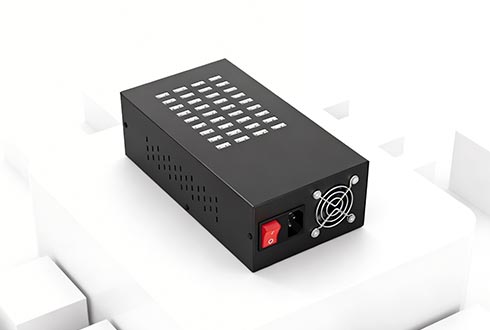
Local Power vs a USB Extender
First, we must talk about local desk space. We should do this before discussing a USB Extender. What does a local USB hub actually do? Simply put, it acts like a basic power strip for data. Thus, it gives people many more local USB ports.
Your thin laptop might only have one single port. Fortunately, this handy tool helps immensely. For instance, it splits one port into four or ten ports. Then, workers can plug in a mouse and keyboard.
Moreover, they can plug in a phone at the exact same time. It is a fantastic tool for cleaning up a messy desk. Keeping your connected USB devices neat is definitely important. However, this basic tool has one major physical weakness.
Specifically, it cannot fix the problem of long distances. Standard cables usually fail after about fifteen feet. You absolutely cannot just connect many cheap cables together. If someone tries that, the data transfer will fail completely.
Consequently, the computer will stop seeing the hardware entirely. Therefore, local tools fail when hardware is far away. In addition, users must think about pure electrical power. Everyone always needs a strong power supply.
This component keeps multiple tools running well. This rule remains true for older USB 2.0 tools. Likewise, it is true for faster USB 3.0 hardware. Ultimately, a weak power source makes accessories crash. Thus, a local tool only works for very short distances.
Breaking Distance Limits with a USB Extender
What if someone needs to go further? This specific situation is where the USB Extender saves the day. Sometimes, workers need to send data past fifteen feet. If so, a USB Extender is the absolute best friend.
It is certainly not a simple local splitter. Instead, a USB Extender is a very special tool. Designers make it just for long-distance data transmission. First, the user plugs the transmitter into the computer.
Next, they place the receiver near the far hardware. How do these two parts talk across a big building? Generally, a good USB Extender uses standard network cables. Thus, it bridges the big gap quite easily.
Furthermore, it converts the raw data signal perfectly. A high-quality USB Extender pushes data up to 150 feet. It does this hard work without losing any data. Indeed, this signal change is the real magic.
Because of this technology, a distant printer works flawlessly. It feels exactly like it sits right on the desk. Moreover, a USB Extender keeps the office very neat. It is definitely a highly professional choice for any growing business.
Moving Beyond the USB Extender to Network Sharing
Sometimes, a direct cable is simply not enough. A company might need to reach across a huge building. Sadly, a basic USB Extender cannot do this massive job. Therefore, IT teams need to look at advanced network tools instead.
For example, a business might own expensive software USB dongles. They cannot leave these important keys in a busy room. Otherwise, someone might easily steal them. Consequently, companies need a highly secure way for sharing USB devices.
To get this security, professionals need an Ethernet USB device server. This metal box takes the physical tools securely. Then, it places them safely onto the main network. Afterward, staff can use their USB devices over a network.
Large factories might even need several USB device servers. Fortunately, the hardware strictly follows standard tcp IP rules. This common language lets tools talk seamlessly. Always remember to connect these servers to a fast gigabit Ethernet line. A wide data road stops terrible traffic jams. As a result, the network stays fast and reliable.
Reaching Virtual Machines
The business world changes very fast today. Currently, many companies put their computers directly in the cloud. They rely heavily on invisible virtual machines. Indeed, cloud computing saves a lot of money and space.
Sadly, these cloud computers lack real physical ports. How does someone plug a physical scanner into the cloud? They definitely cannot use a standard USB Extender for this specific job. However, brilliant USB over IP technology solves this modern problem.
This amazing tech creates a perfect digital bridge. Thus, it gives workers seamless remote USB access from anywhere. Distant remote clients can use the physical tools instantly. There is absolutely zero delay in their daily work. It feels exactly like the hardware is local.
Managing Your Network Tools
Good hardware always needs great software. Administrators cannot just guess what happens on their network. Therefore, they need a simple, powerful device manager. With excellent software, IT teams can easily manage USB connections.
They control the whole building from one single screen. Everything becomes incredibly neat, safe, and easy to run. Let us quickly review our important lesson today. Does your desk lack local connection ports?
If so, a simple local hub is the right answer. Conversely, is physical distance your main enemy? When distance is the issue, the USB Extender is the clear winner. Understanding these choices helps everyone build a smart workspace.
Ultimately, picking the right tools makes daily work much easier. Would you like me to help you draft a short social media post to share this new guide with your audience?
