
Imagine every important gadget you own—USB dongles, scanners, testing instruments—locked inside a single office drawer while your team is scattered across cities. That’s the old way. With USB over Network and a reliable partner like the ChilliSky USB Server, that drawer opens to the world. Through a simple gigabit Ethernet connection, your connected USB devices behave as if they’re plugged right into your laptop, whether you’re at home, on the road, or running virtual machines in the cloud.

1. A Central Garage for Your USB Devices
Think of USB over Network as a shared garage for all your tools. Instead of buying duplicate hardware or running around with a USB hub, you park every device—USB 2.0 or USB 3.0—in one spot. A single Ethernet USB device server, like the ChilliSky USB Server, lets remote clients reach those devices over TCP/IP just like local hardware. No messy rewiring. Just pure access.
2. Spend Less, Get More
Buying the same scanner or licensing key for every office is like giving every neighbor their own trampoline. Fun, but pricey. By sharing USB devices through a central USB device server, you slash costs and cut down on hardware clutter. Even the power supply headaches shrink, because one server powers many.
3. Remote USB for the Hybrid Era
Remote work is here to stay. With remote USB connections, designers, engineers, or testers can tap into a high-speed data transfer channel as if the hardware sat on their desk. Whether you manage a lab or need to attach USB devices over a network to virtual machines, the ChilliSky USB Server keeps the link steady and secure.
4. Security Like a Smart Lock
Data leaks? Not on this watch. USB over Network acts like a master key system. The built-in device manager of the ChilliSky USB Server lets you manage USB permissions, so only the right people access specific USB ports. Encryption over USB over IP ensures your information travels safely across the internet.
5. Scales as Fast as You Grow
Expanding your team shouldn’t mean buying a mountain of extra gear. Add more devices to the central server, authorize new remote clients, and keep moving. Whether you’re attaching USB dongles for new software or adding a faster USB 3.0 camera, USB over Network scales without a hiccup.
6. Plays Nice with All Systems
Windows, macOS, Linux—everyone’s invited. USB over Network is fluent in all three, so you can mix environments without worry. The ChilliSky USB Server even supports complex setups like virtual machines or mixed USB 2.0 and USB 3.0 peripherals, letting every workstation feel like the hardware is local.
7. Collaboration Without Borders
Need several teams to use a 3D printer or a specialized sensor? USB over Network makes the handoff seamless. Multiple people can access the same device in turn, no matter where they are. With a high-speed gigabit Ethernet backbone and precise device manager controls, sharing feels instant and natural.
Ready to Unplug the Old Way?
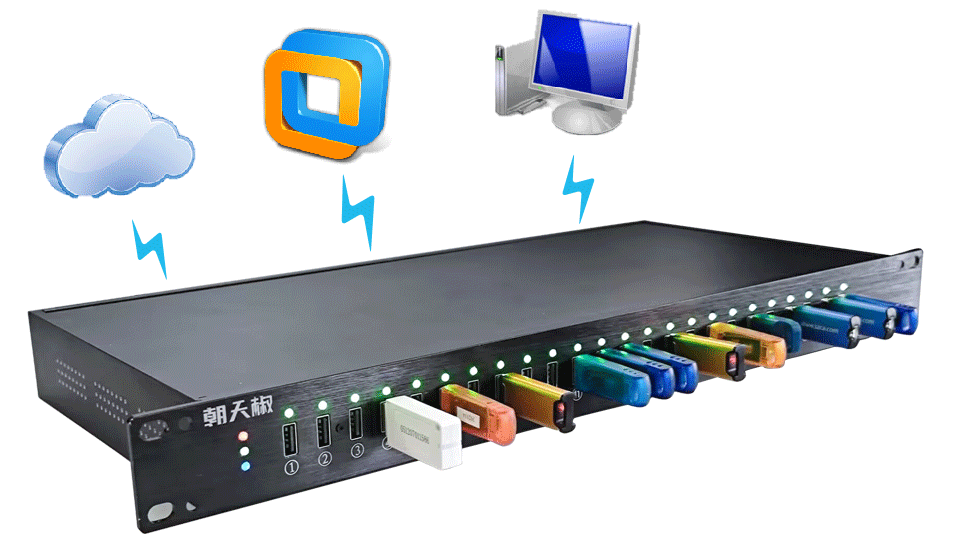
When you adopt USB over Network, you’re not just plugging into a new tool—you’re stepping into a smarter workflow. From USB over IP connectivity to secure remote USB access, the ChilliSky USB Server transforms how you manage USB gear. Your connected USB devices stay centralized, secure, and ready for any remote client who needs them. It’s freedom without the tangle of cables—and it’s waiting for you to make the leap.
