
Product Introduction
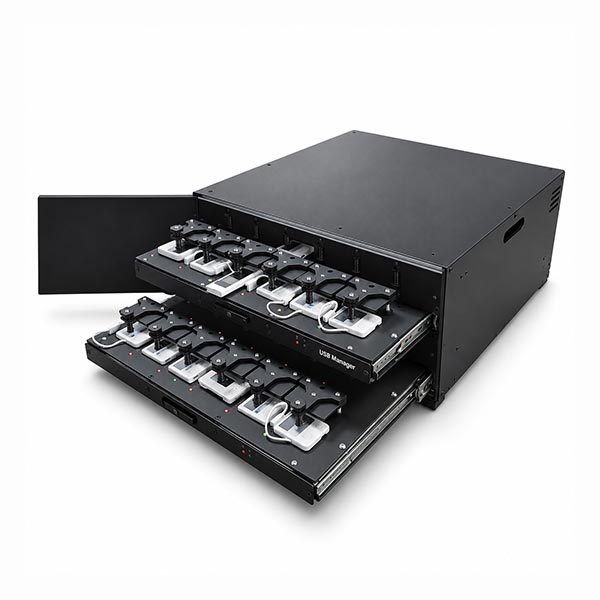
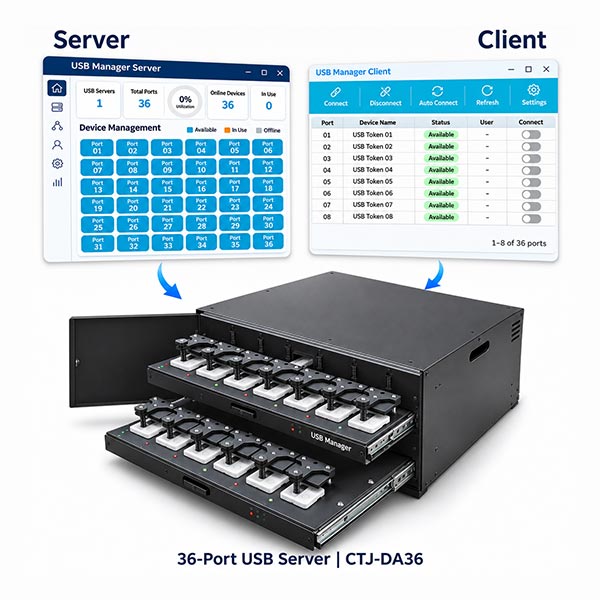
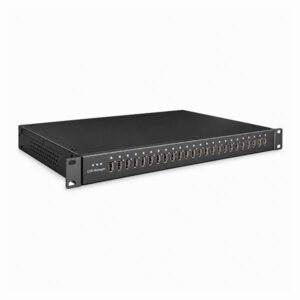
The USB Manager CTJ-DA36 is a 36-port Banking USB Token Server that combines USB over IP connectivity with integrated physical button-control mechanisms.
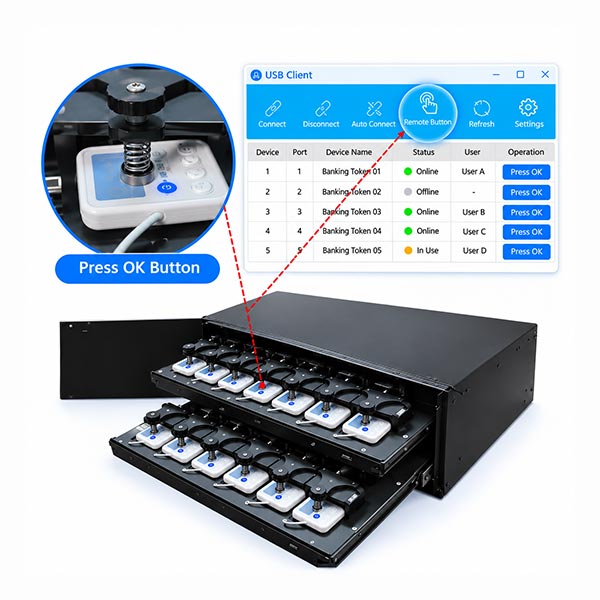
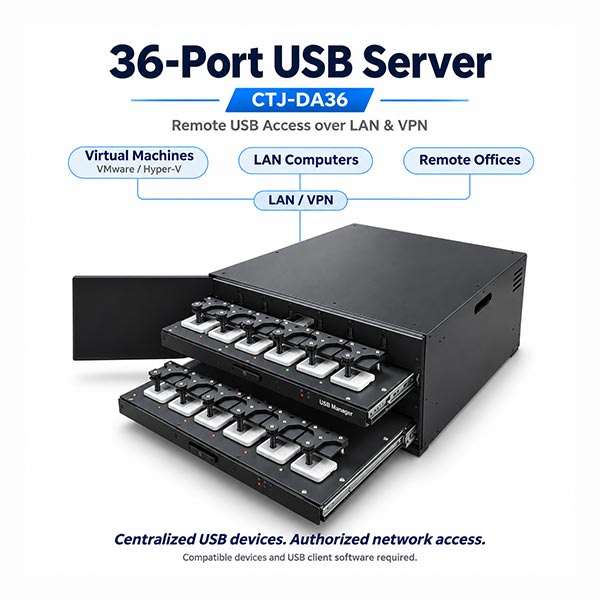
Finance teams can keep banking USB tokens in a centralized location while authorized users access them over the network. For compatible tokens requiring a physical OK or Confirm button press, users can trigger the button remotely without someone standing beside the device.
The system accommodates both standard USB tokens and compatible button-operated tokens. Centralized management helps administrators assign device access, monitor connection status and review usage records across offices and departments.
Hardware Specifications
| Item | Specification |
|---|---|
| Model | CTJ-DA36 |
| USB Ports | 36 × USB 2.0 |
| Remote Button Control | Integrated physical button operation for compatible banking USB tokens |
| USB Port Power | Up to 1A per port, subject to the total system power budget |
| Port Power Control | Individual USB port ON/OFF control; ports powered on by default |
| Processor | Quad-core Rockchip processor |
| Memory | 4GB RAM |
| Cooling | Fanless embedded design |
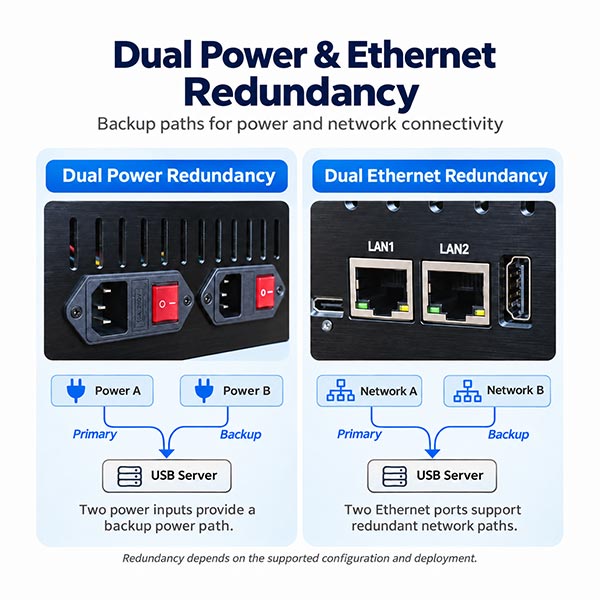
| Network Interface | 2 × Gigabit Ethernet, RJ45, 10/100/1000 Mbps |
| Power Supply | Single power input; rated 220V AC |
| Input Voltage Range | 90–264V AC / 127–370V DC |
| Maximum Power | 100W |
| Power Protection | Short-circuit, overload and overvoltage protection |
| Operating Temperature | 0°C to 60°C |
| Relative Humidity | 0% to 95% |
| Housing Material | Aluminum alloy |
| Installation | Rack-mount enclosure |
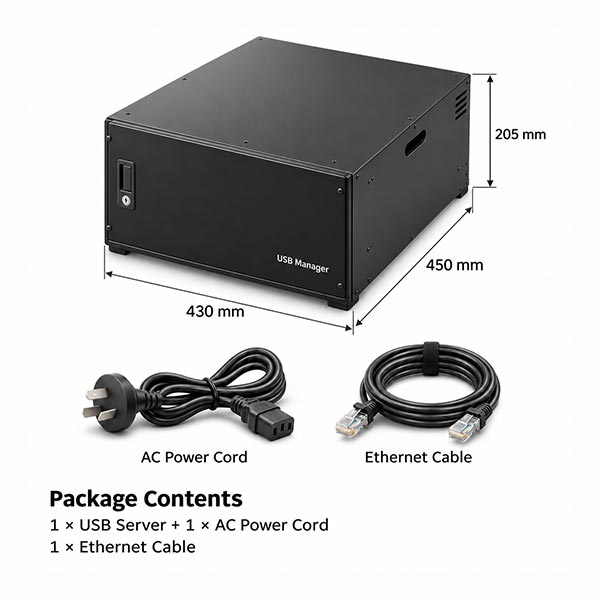
| Dimensions (W × D × H) | 430 × 450 × 205 mm |
| Net Weight | 15 kg |
Software & Compatibility
| Category | Specification |
|---|---|
| Operating Systems | Windows 10/11, Windows Server 2016/2019/2022 and supported Linux distributions |
| Virtualization Environments | Supported guest systems running on VMware, Hyper-V and Citrix |
| Cloud Deployment | Supported cloud-hosted systems with network connectivity to the USB Server |
| Network Environment | LAN, routed enterprise networks and VPN |
| Supported Tokens | Standard USB banking tokens and compatible tokens requiring physical button confirmation |
| Access Control | User authentication and device access permissions |
| Monitoring | Device availability, connection status and usage records |
| Encrypted Communication | HTTPS and TLS 1.2 support |
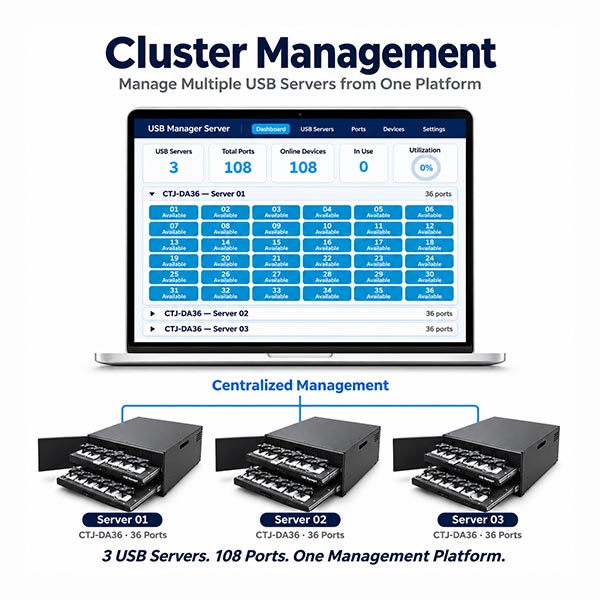
| Multi-Server Management | Centralized management of multiple USB Servers |
| RPA Integration | APIs for port status queries, device connection and disconnection |
| Management Deployment | Embedded management software or deployment on a separate enterprise PC or virtual machine |
| Backup Deployment | Hot-standby and cold-standby configurations available, depending on the deployment design |
The remote computer requires the appropriate USB client, token drivers and banking software. Compatibility should be checked for the specific token model, operating system and banking application.
Remote OK/Confirm Button Control
Some banking USB tokens require a physical button press during authentication or transaction confirmation. A network USB connection alone cannot perform this action.
The CTJ-DA36 combines remote USB connectivity with an integrated physical pressing mechanism. Authorized users can connect to a compatible token and trigger its confirmation button through the USB Manager client.
Remote button operation remains subject to the bank’s authentication requirements, transaction approval process and token compatibility.
Centralized Management for Finance Teams
Keep banking USB tokens in one controlled location instead of moving them between computers, offices or employees.
Administrators can assign access permissions, identify available devices, monitor active connections and review usage records. Multiple USB Servers can be managed together as the number of tokens grows.
A connected token is normally used by one computer at a time. Authorized users can switch access between computers when the device is released.
RPA & Virtual Machine Deployment
The CTJ-DA36 provides APIs for checking port status and connecting or disconnecting specified USB devices. These interfaces help RPA developers select the required banking token within supported workflows.
Supported virtual machines and cloud-hosted systems can access compatible tokens over the network using the USB client and required drivers, while the physical tokens remain centrally installed.
Check Your Token Compatibility
Tell us your banking token brand and model, button position, operating system and intended network environment. Our team can help evaluate USB connectivity, physical button operation and the appropriate deployment configuration.


Reviews
There are no reviews yet.